
Playdash Payments Malaysia Deposit And Withdrawal Methods
Updated
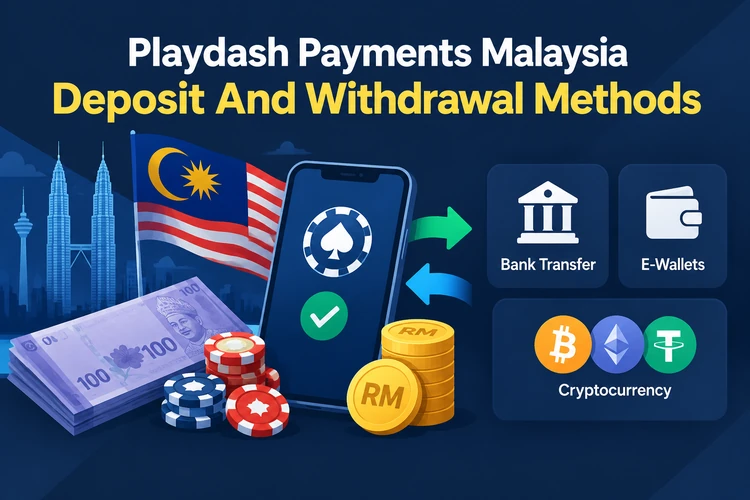
Playdash payments in Malaysia support deposits through DuitNow QR, FPX online banking, Touch 'n Go, ShopeePay, GrabPay, local bank transfers, and USDT. Malaysian users can usually manage funds in MYR, while crypto transfers use USDT on TRC20 or ERC20. Deposit limits and withdrawal times depend on the selected method and account status. Check payment availability and current terms in the Playdash cashier before each transaction.
Playdash Payment Methods In Malaysia
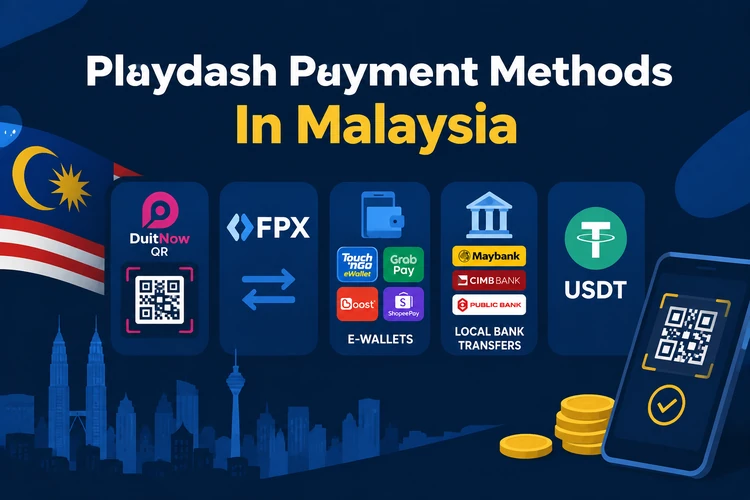
Playdash payment options cover local banking, mobile wallets, direct transfers, and cryptocurrency. Malaysian bank users can choose DuitNow QR or FPX, while Touch 'n Go, ShopeePay, and GrabPay support payments through mobile applications. Local bank transfers provide another route for deposits, and USDT is available through the TRC20 and ERC20 networks.
Payment availability can differ between deposits and withdrawals. Some methods support incoming payments but do not handle outgoing requests. Account region, verification status, and cashier settings can also affect access, so check the available options in the Playdash Wallet before transferring funds.
| Payment Method | Type | Currency |
|---|---|---|
| DuitNow QR | QR Payment | MYR |
| FPX | Online Banking | MYR |
| Touch 'n Go | E-Wallet | MYR |
| ShopeePay | E-Wallet | MYR |
| GrabPay | E-Wallet | MYR |
| Local Bank Transfer | Banking | MYR |
| USDT TRC20 | Cryptocurrency | USDT |
| USDT ERC20 | Cryptocurrency | USDT |
The options shown in Playdash Wallet may differ between deposits and withdrawals. Check the methods directly in Wallet before starting a payment on Playdash Malaysia.
How To Deposit Money At Playdash Casino
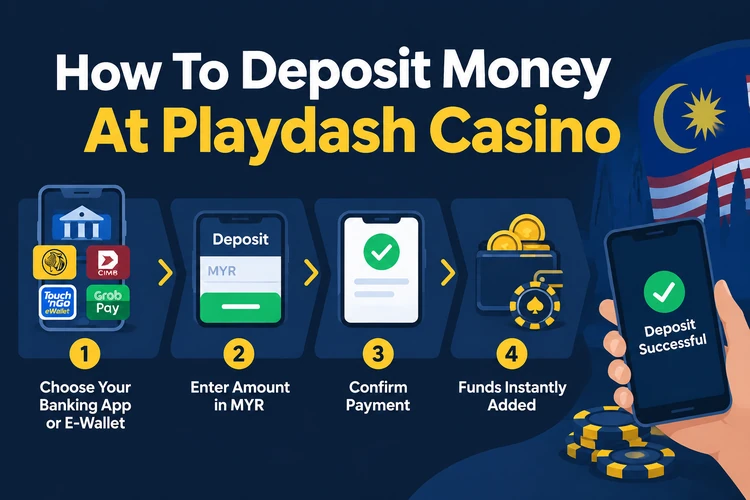
A Playdash casino deposit through Malaysian banking or a mobile wallet follows a direct process. Start with the correct account and confirm each entry before paying. This approach reduces confusion when a bank application or e-wallet creates its own transaction record.
Use the following order for the main Malaysian payment systems:
- Open Playdash Casino.
- Log in to your account.
- Select Wallet or Cashier.
- Click Deposit.
- Choose DuitNow, FPX, or another available method.
- Enter the deposit amount in MYR.
- Confirm the payment using your bank or e-wallet.
- Check your Playdash account balance.
The cashier may display a bank account, recipient name, or QR code for the selected method. Check the payment details during every transaction because account-specific instructions can change. If the deposit is not credited, keep the receipt and Transaction ID before contacting support.
Popular Playdash Deposit Methods
DuitNow QR Deposits
DuitNow QR deposits use MYR and an observed minimum of RM30. The observed maximum is RM9,999. Scan the cashier QR code with a participating banking application and approve the payment. These limits came from a previously published cashier review and may change.
Touch 'n Go EWallet
Touch 'n Go deposits use MYR, a mobile e-wallet, and an observed minimum of RM30. After generating the payment in Playdash Wallet, open Touch 'n Go and approve the transfer. Check the e-wallet transaction status before returning to the casino balance.
FPX And Malaysia Online Banking
FPX deposits use MYR and online banking. The process redirects players to a participating bank to approve the transaction. Reviewed bank examples include Maybank, CIMB, Public Bank, and RHB. Availability can vary by account, so check FPX before starting a Playdash MY payment.
USDT TRC20 And ERC20
USDT deposits support the TRON and Ethereum networks through direct cryptocurrency transfers. Select the network shown in Playdash Wallet before copying the address. TRC20 and ERC20 addresses are not interchangeable. Sending USDT through the wrong network can result in lost funds.
How To Withdraw Money From Playdash
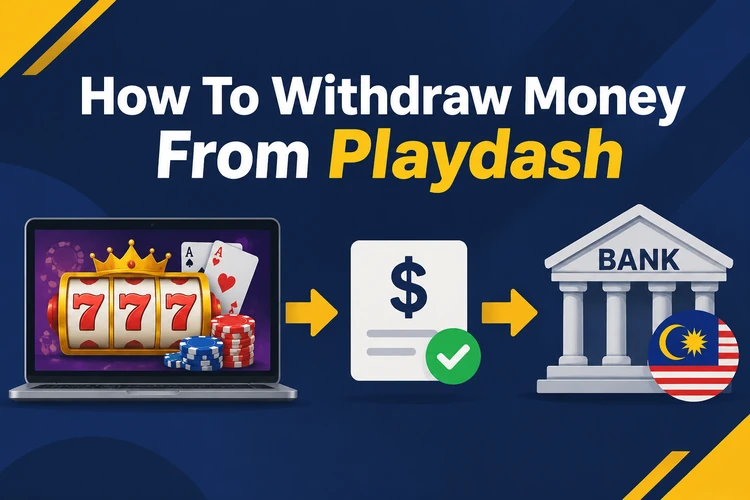
A Playdash withdrawal sends eligible winnings to a bank account or another method listed in Wallet. The request may require identity verification and completion of bonus wagering conditions. Check these requirements before playing if you intend to withdraw promotional funds.
Review the destination and account details before using this withdrawal sequence:
- Log in to Playdash.
- Open Wallet.
- Choose Withdraw.
- Select an available payment method.
- Enter the withdrawal amount.
- Provide the required payment details.
- Confirm the withdrawal request.
- Check the transaction status.
Delays can follow an incomplete KYC check, mismatched payment details, unmet bonus conditions, or internal request processing. Review the amount and destination before confirming. A pending status does not always indicate an error, so check the Wallet record before submitting another request.
Playdash Deposit Limits And Withdrawal Processing Time
Published rules and third-party observations indicate different deposit limits and withdrawal windows for each route. The figures below reflect previously reviewed materials rather than confirmed limits for every Playdash account. Check them against the cashier before publication or use.
| Payment Condition | Published / Observed Value |
|---|---|
| DuitNow Minimum Deposit | RM30 |
| DuitNow Maximum Deposit | RM9,999 |
| Touch 'n Go Minimum Deposit | RM30 |
| First Withdrawal Waiting Period | 24 hours after first deposit |
| Electronic Payment Processing | Up to 1 business day |
| Bank Withdrawal Processing | 1–3 banking days |
| Reported Daily Withdrawal Limit | MYR 50,000 |
| Reported Withdrawal Requests Per Day | 5 |
Request review and actual settlement can occur on different schedules. Electronic payments may process within one business day, while bank transfers may take one to three banking days. These values are not confirmed current account limits. Confirm the cashier and Playdash conditions before relying on them.
Playdash Withdrawal Verification And Fees
Playdash may review identity and payment ownership before releasing a withdrawal. These checks affect the final amount, timing, and destination. Review the requested information before submitting a request.
- Identity Verification: National ID or Passport.
- Bank Account Name: Must match the account holder.
- Payment Verification: Payment details require confirmation.
- Withdrawal Fees: Depend on the method and account terms.
- Bank Charges: Your bank may deduct a separate fee.
- Crypto Network Fees: The blockchain network may charge a transfer cost.
- Bonus Wagering: Bonus funds require the stated wagering total.
Check the final withdrawal amount and every applicable fee before confirming the request. A displayed amount may not reflect deductions made by a bank or blockchain network.
Playdash Deposit And Withdrawal Problems
Playdash Deposit Not Received
Check the bank or wallet statement before contacting support. Confirm that the payment carries a completed status, then compare it with the Playdash deposit history. Save the receipt and Transaction ID. If funds left your account but remain absent from the casino balance, send both records to support.
Playdash Withdrawal Pending
A pending Playdash withdrawal may still be under review. Check the request status and confirm that KYC is complete. Compare the entered payment details with the receiving account, and review any bonus wagering requirement. Contact support when the status has not changed within the published processing window.
Playdash Payment Failed
A failed Playdash payment often relates to the wallet limit, available balance, or entered details. Confirm the amount against your banking limit and check that the cashier information is correct. Also verify that the payment service is operating. Do not repeat the transaction until the status of the first attempt is known.
Provide support with the Transaction ID, payment time, amount, selected method, and a screenshot showing the failed status. Remove unrelated banking or personal information before sending documents. These details help Playdash locate the payment.
Playdash Payments On Android And iOS
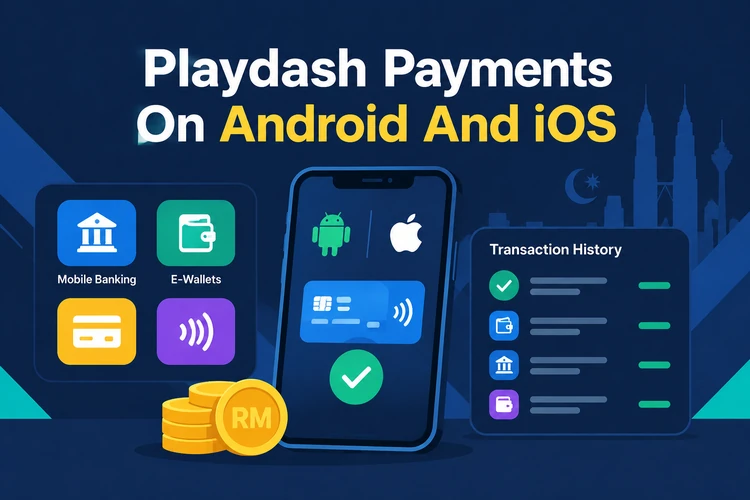
Playdash online casino payments can be completed through mobile banking or supported e-wallet applications. The interface adapts to the device, while payment approval remains in the selected banking app. Transaction records can also be reviewed from the Wallet.
Mobile access supports the following payment functions:
- Android APK: Access to Wallet and cashier functions.
- Android PWA: Deposit through the mobile interface.
- iOS: Payments through supported mobile access.
- Mobile Banking: Confirmation through your bank application.
- E-Wallet: Payment approval from your phone.
- Transaction History: Review payments and withdrawal requests.
Visit /app/ for information about Playdash app installation and supported mobile features.
FAQ
Playdash accepts DuitNow, FPX, Touch 'n Go, ShopeePay, GrabPay, local bank transfers, and USDT. Check the current Playdash Wallet because deposit and withdrawal options can differ.
The observed minimum is RM30 for DuitNow and Touch 'n Go. These figures come from reviewed cashier information, so confirm the current limit in Playdash Wallet before depositing.
Published timings show up to one business day for electronic payments and one to three banking days for bank withdrawals. Verification and bank processing may add time.
Yes, reviewed materials list Touch 'n Go and DuitNow among deposit methods. Confirm their current availability and limits in the Playdash cashier before payment.
A withdrawal may wait for identity verification, payment detail checks, account limits, or bonus wagering conditions. Review the request status and contact support if it exceeds the processing window.